



The moment the problem shows up
I remember the call from a hotel manager: they’d bought twenty 55-inch sets from a tv manufacturer and everything seemed fine until the guests complained about slow menus and random app crashes. That one installation froze the property’s check-in flow and exposed a common truth — buying TVs in bulk looks simple on paper and messy on site. The real issue usually isn’t the panel size; it’s the mismatch between expectations and the product’s everyday behavior.
Why software and support break deals
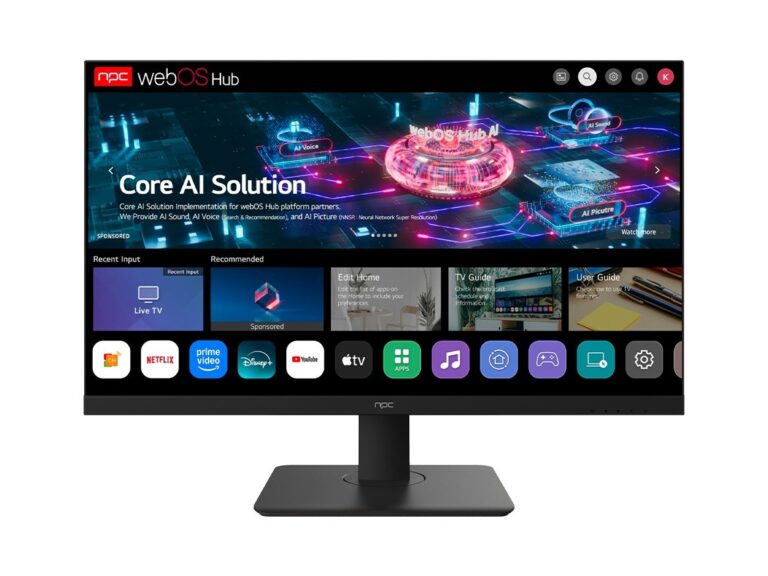
Hardware is predictable. Software is not. I’ve overseen deployments where identical models behaved differently because of firmware, region locks, or update policies. Experience matters: installers learn to ask about update cadence, remote management, and API access before they sign any order. That practical knowledge meshes with what the industry shows publicly — major reveals and manufacturer promises at CES in Las Vegas make clear how vendors prioritize platform features. For anyone evaluating large purchases, look beyond specs and learn how the smart tv operating system will be managed across units; that single detail determines whether you’re buying a durable tool or a recurring headache.
Common pitfalls people keep repeating
Buyers skip compatibility checks. They assume HDR settings and HDMI-CEC will behave the same across batches. They ignore remote management and signage modes. They accept short warranty windows because unit price looks attractive. They forget that a mismatch in OS version across shipments can force onsite reconfiguration for every set. These mistakes cost time and money — often more than the initial savings from a low unit price.
A pragmatic checklist for wholesale TV purchases
Start by asking for firmware update guarantees and a documented OTG process. Confirm remote provisioning and signage or hotel mode availability. Check panel specs against real-world use: consider viewing angles, expected ambient light, and whether you need local dimming. Demand clear warranty terms per serial number and ask about spare-part availability. Test a sample unit for network stability, app load times, and input lag. Verify certifications for your region and confirm the supplier supports batch configuration tools or an enterprise portal. Finally, estimate total cost of ownership: installation time, future updates, and potential replacements matter as much as the purchase price.
What works in practice
Teams that succeed treat wholesale TV buys like software projects: define requirements, pilot, document a rollout plan, then scale. A small pilot reveals OS quirks, remote-management limits, and whether displays behave under real content. When those checks pass, procurement becomes straightforward. When they don’t, you either renegotiate terms or switch vendors before the full order ships. That approach turns a risky bulk buy into a manageable program where unit price and long-term reliability align — and that’s the kind of outcome practical vendors like npc are built to support.

